 Cornish Beach Tracker
 Reachly
 JobSnapAndroid app
Site photos, jobs and reports. Sorted on your phone.
JobSnap keeps every photo, video, voice note and job organised by company and site, then turns it into a professional, company-branded PDF report in a couple of taps.
- Works offline
- No account needed
- Data stays on your phone
- Pro is a one-off purchase
Everything for the job, in one place.
Stop digging through your camera roll and WhatsApp chats. JobSnap keeps the evidence with the job it belongs to.
Companies and sites
Organise work by customer and location. Pin favourites, search, and filter by active, inactive or pinned.
A camera built for site work
Photos, video and documents in one tap. Capture first and file it later, with tidy automatic names.
Voice notes
Talk instead of typing. Record on site and play back at up to 2x speed.
Jobs and checklists
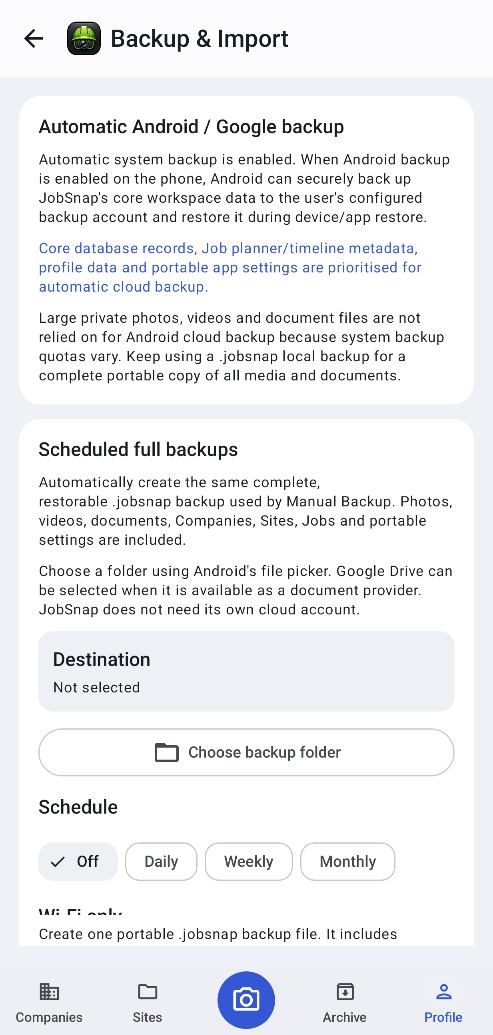
What needs doing, work done, still to do and notes, with status, priority, dates and a checklist for every job.
Professional reports
Company-branded PDF job and site reports with before and after photos. Ready to send in seconds.
Site Record Pack
One zip with the report, photos, videos and documents, sorted into Before, After and other evidence.
Before and after
Compare evidence side by side and follow everything that happened on a site in its timeline.
Backups you can trust
Full backups that are checked after saving, with password encryption and scheduled backups.
App lock
Protect client details and photos with your fingerprint, face or PIN.
From site to report in three steps.
Set up in under a minute. No sign-up and no training.
Add a company and site
Create the customer and the address you're working at. Add their logo and it appears on every report.
Capture the work
Take before and after photos, video and voice notes. Log what needed doing and what you did.
Send the report
Create a branded PDF and share it by email, WhatsApp or any app on your phone.
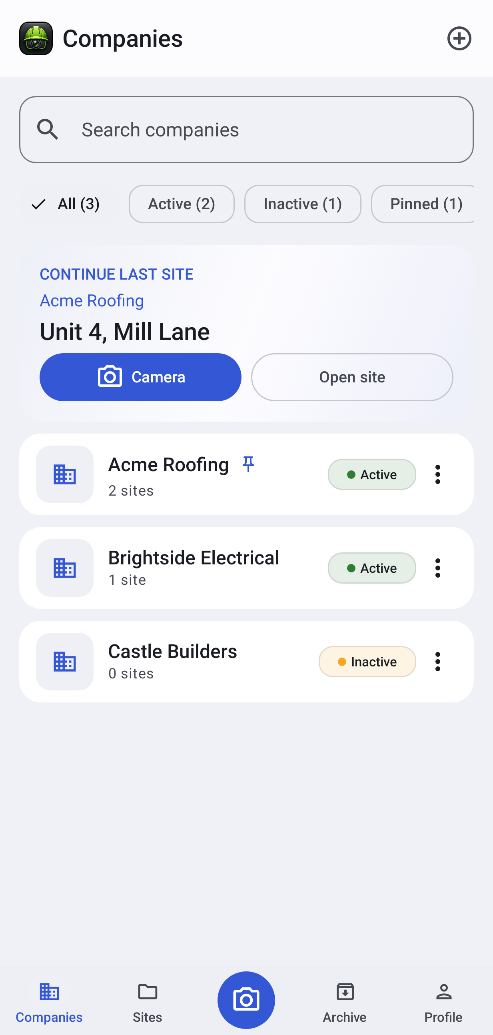
Every customer. Every site.
A tidy list of companies you can search, filter and pin. Open one to see its sites, contacts and files in one place.
- Pin favourites, filter active or inactive
- Company logo flows through to reports
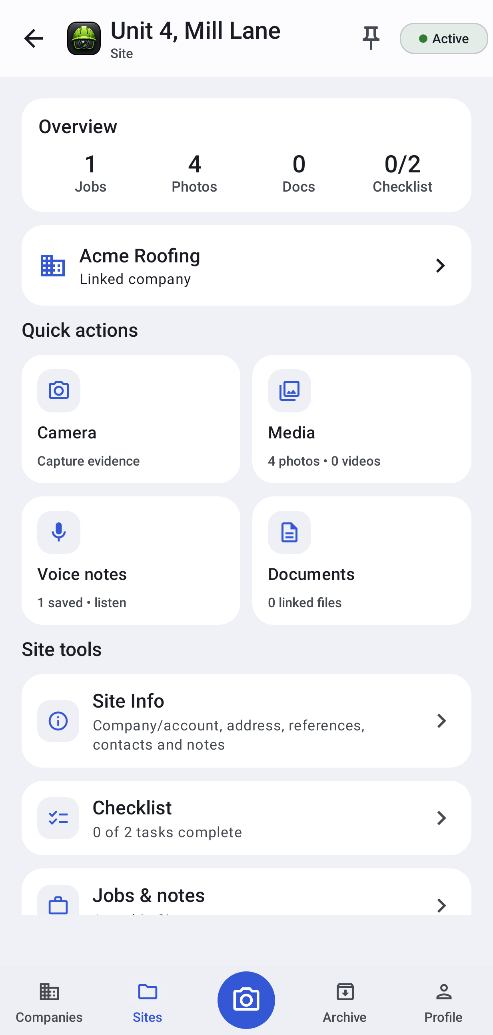
One workspace per site.
Jobs, photos, documents and checklist counts at a glance, with quick actions for camera, media, voice notes and documents.
- Overview of jobs, photos, docs and checklist
- Site info, checklist, jobs and notes tools
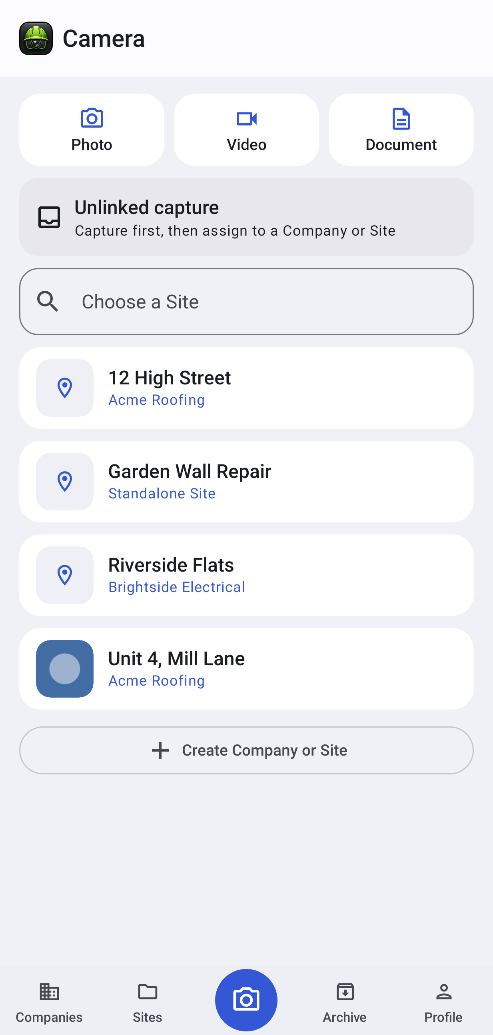
Capture first. File later.
Photos, video and documents in one tap, with tidy automatic names. Record voice notes on site and play them back at up to 2x speed.
- Photo, video and document capture
- Voice notes instead of typing
Jobs with the detail that matters.
What needs doing, work done, still to do and notes, with status, priority, dates and a checklist for every job.
- Status and priority
- Checklist and engineer notes
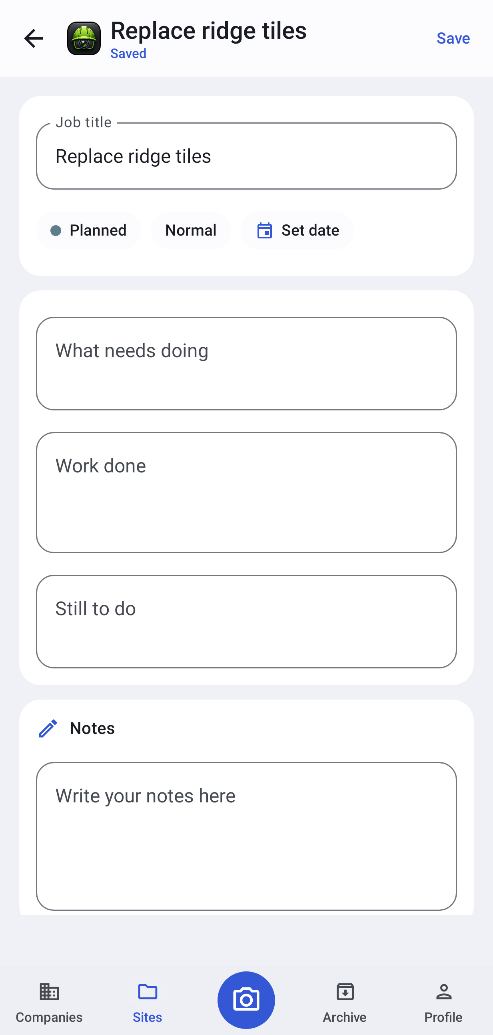
Backups and app lock.
One backup file with everything, with optional password encryption. Pro adds scheduled, verified backups. Lock the app with fingerprint, face or PIN.
- Single-file backup and restore
- Fingerprint, face or PIN lock
Reports that look like your customer's own paperwork.
Every page carries the company's logo, name and colours, plus who prepared it and the date. Short, clear and professional.
- What needed doing, work done and still to do
- Before and after photos side by side
- Checklist, engineer notes and a photo grid
- Engineer and customer sign-off
- Empty sections left out automatically
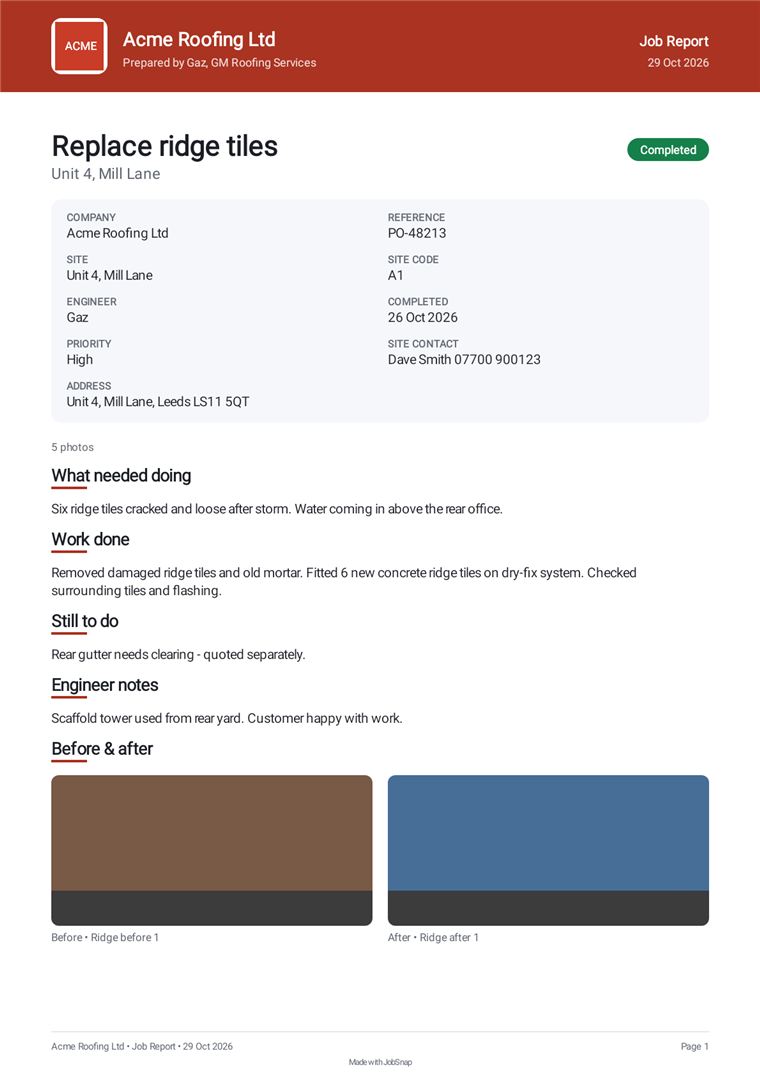
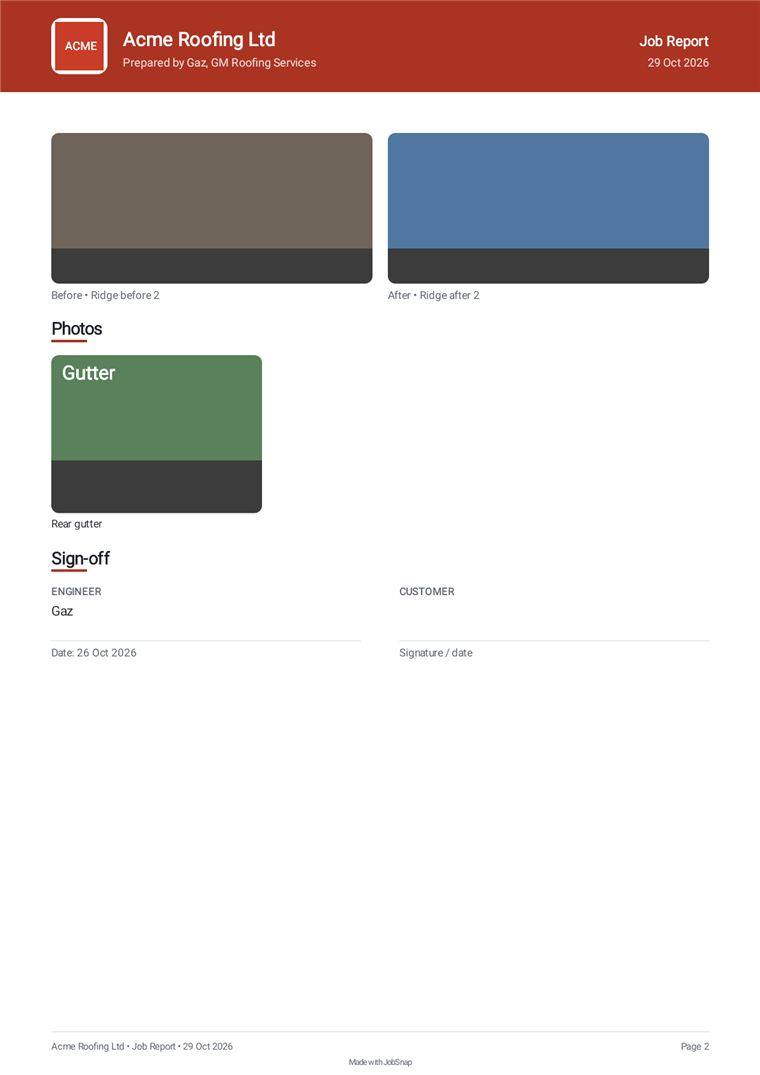
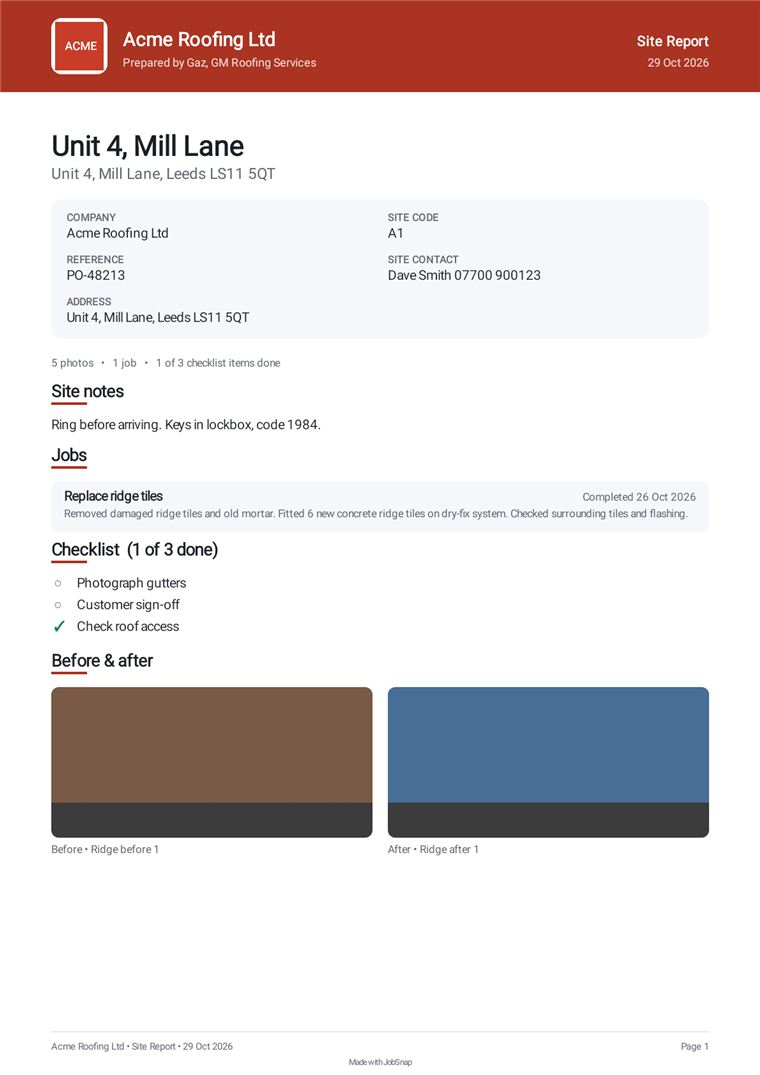
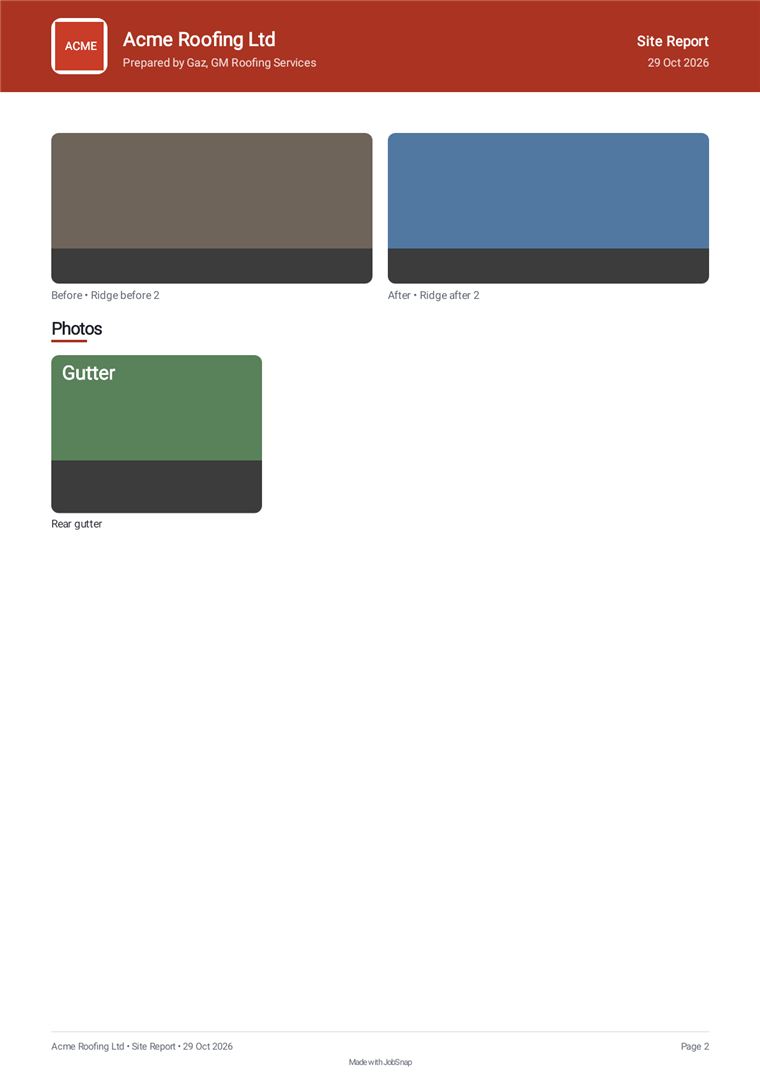
Example job report and site report. Tap a page to enlarge.
Clean, simple and quick to use.
Big buttons, clear lists and everything one or two taps away. Tap any screen to see it full size.
Search everything
Find any company or site in seconds, from one search box.
Pin & filter
Pin favourites and filter by active, inactive or pinned.
Continue last site
Jump straight back into the site you were working on, or open the camera.
Contacts & files
Keep company contacts and files with the customer they belong to.
CompaniesSearch, filter and pin
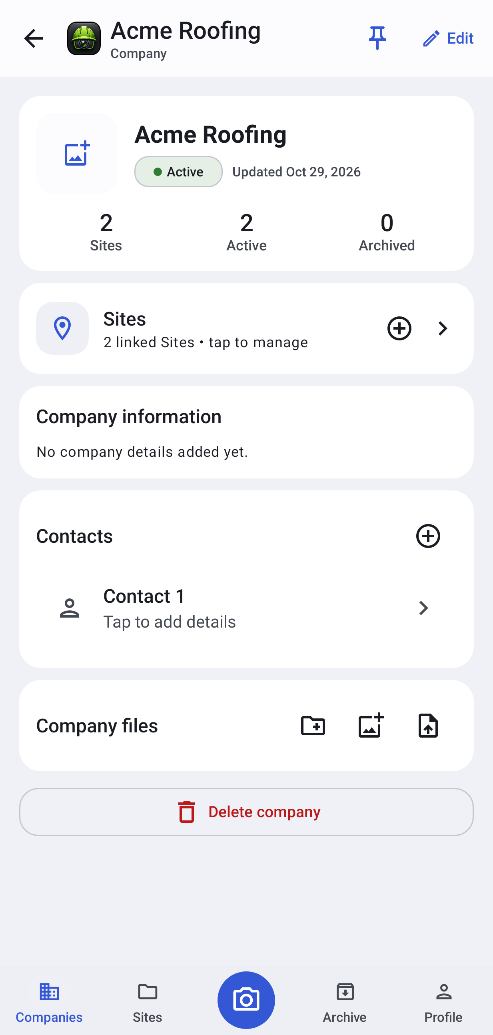
CompanySites, contacts and files
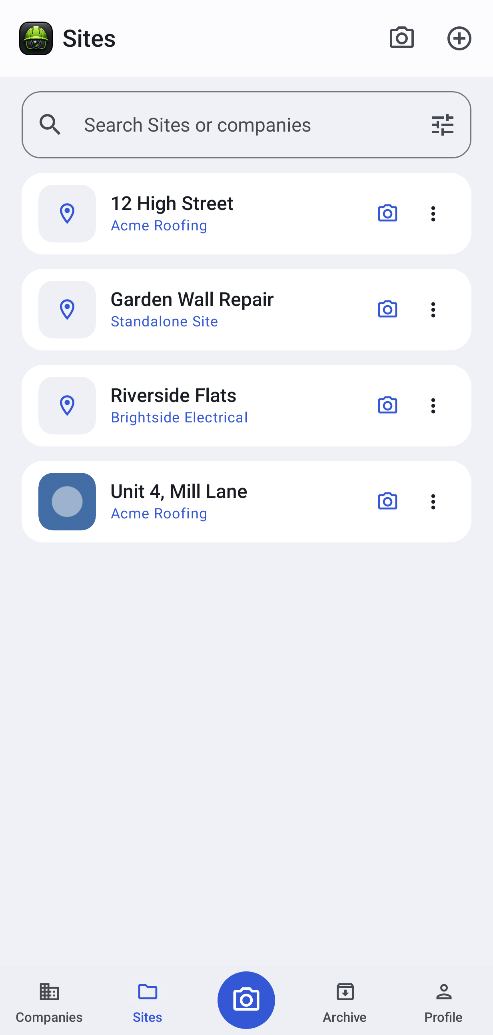
SitesEvery location in one list
Site workspaceEverything for one site
One-tap capture
Photos, video and documents without digging through menus.
Capture first, file later
Get the evidence now and sort it when you are back at the van.
Voice notes
Talk instead of typing, then play back at up to 2x speed.
Tidy photo names
Automatic naming keeps every photo easy to find. Naming styles with Pro.
CameraPhoto, video or document
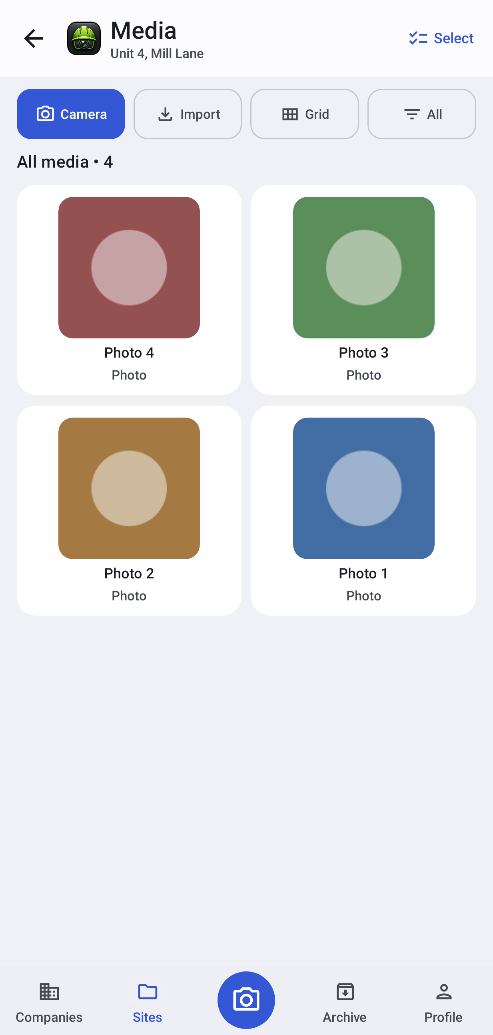
Photos & videoEverything for the site
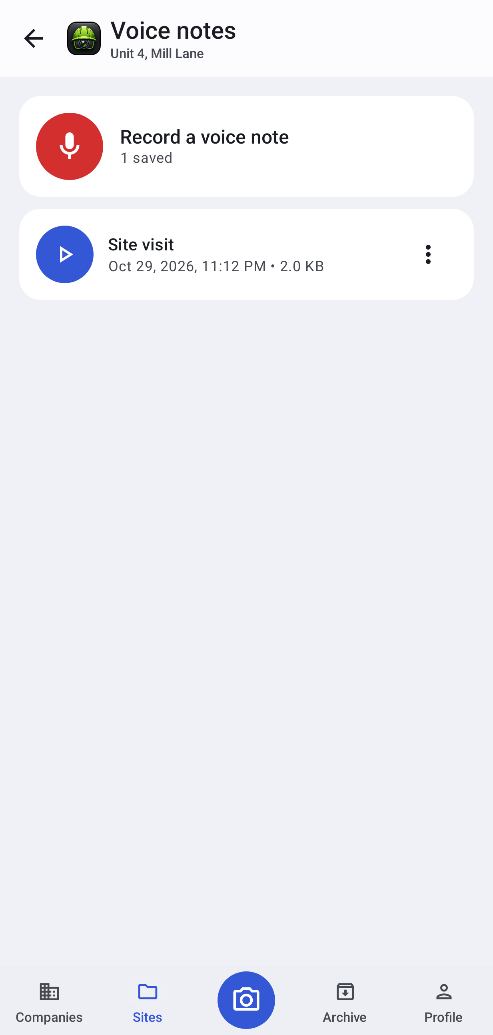
Voice notesRecord, then play back
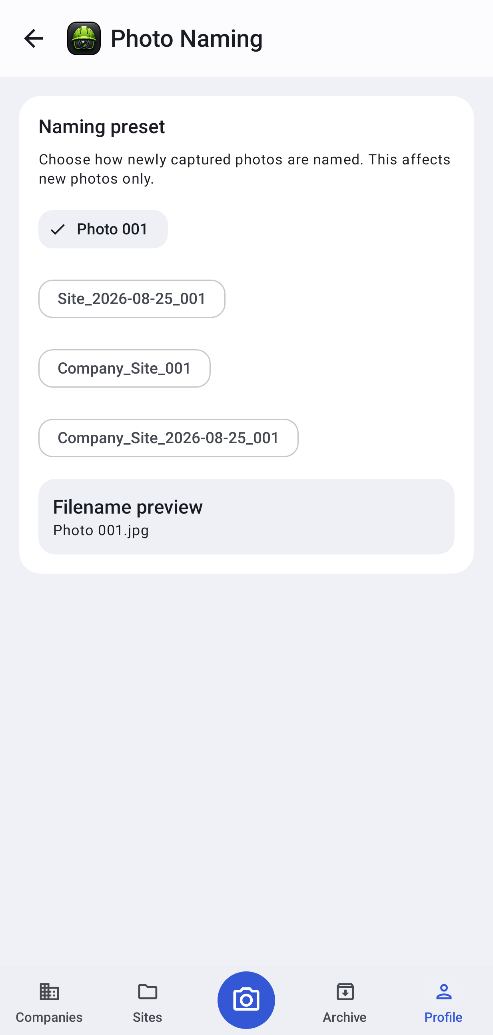
Photo namingTidy automatic names
Jobs & notes
What needs doing, work done, still to do, and notes, all in one place.
Status & priority
Set status, priority and dates so nothing slips.
Checklists
A checklist for every job, ticked off as you go.
Site info
Company or account, address, references, contacts and notes for each site.
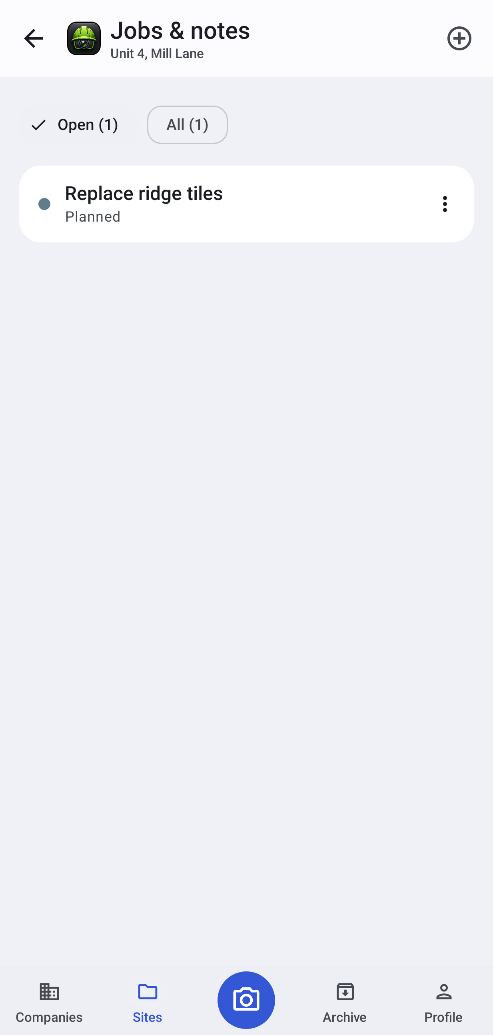
Jobs & notesAll the work for a site
Job detailsStatus, priority and notes
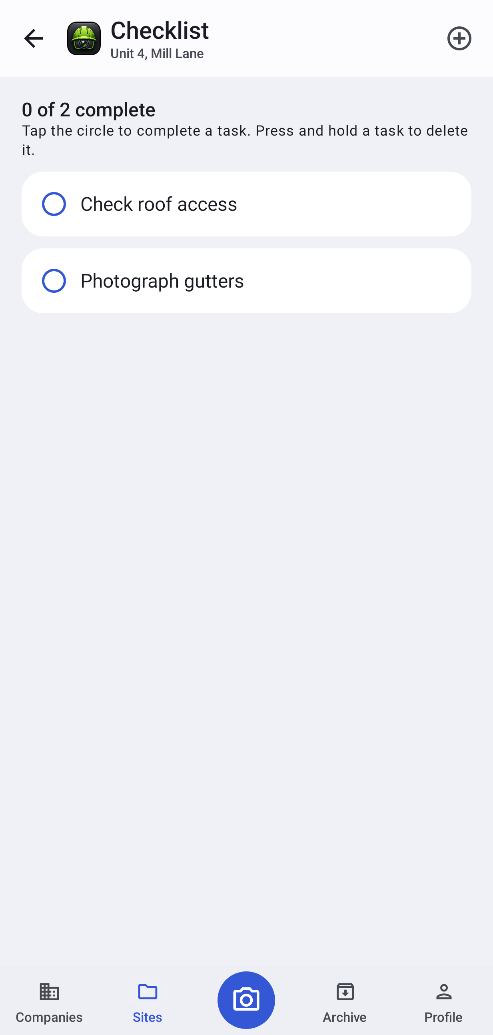
ChecklistTick tasks off
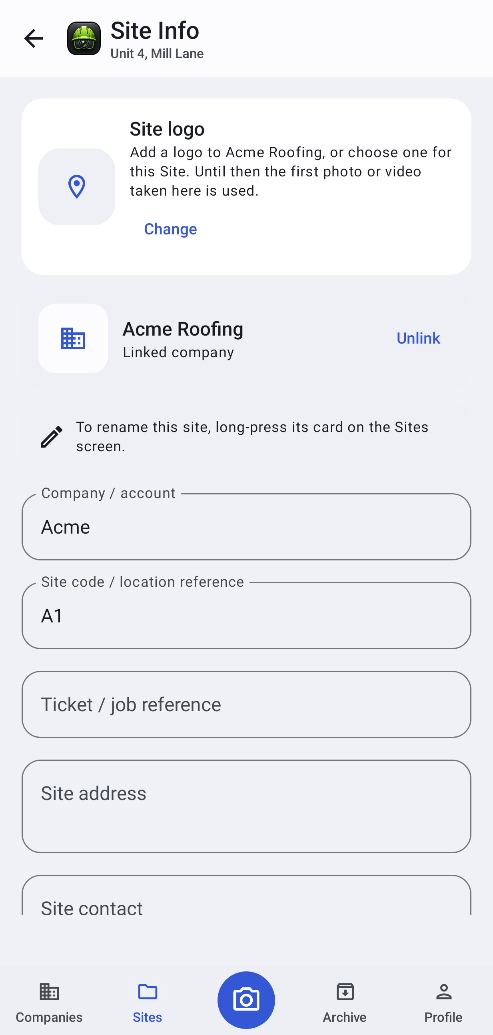
Site infoAddress, references, contacts
Backup & restore
One file with everything, with optional password encryption.
App lock
Protect client details and photos with fingerprint, face or PIN.
Themes
Make it yours. Premium themes come with Pro.
Archive & Recycle Bin
Archive finished work and recover deletions for 30 days with Pro.
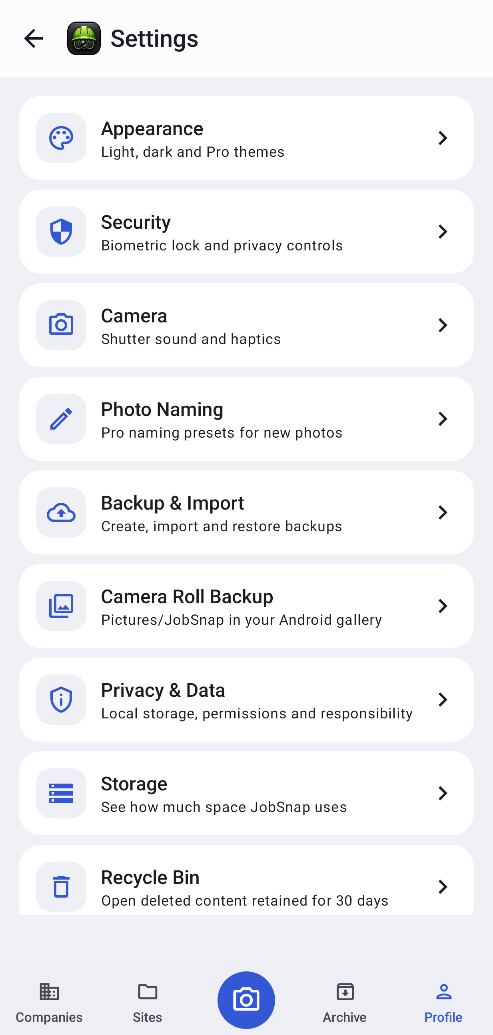
SettingsEverything in one menu
Backup & importOne file, optionally encrypted
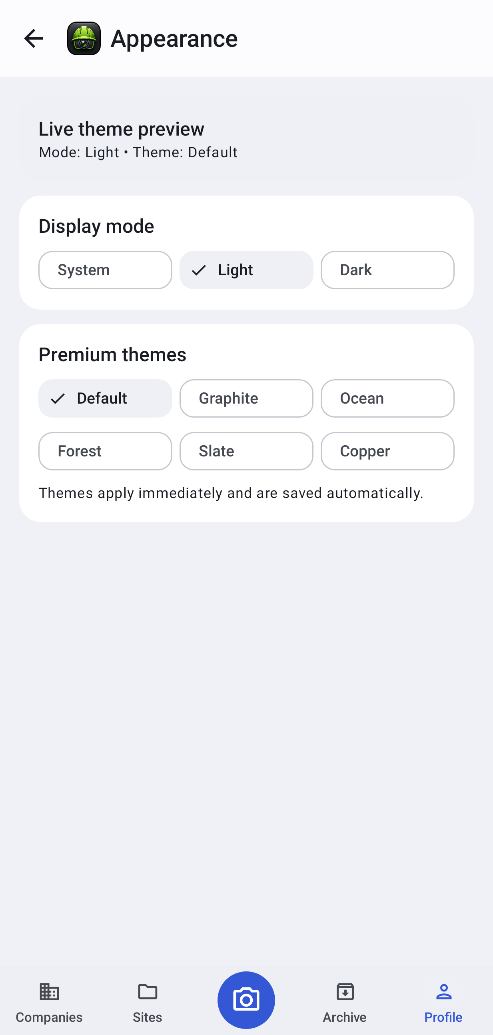
AppearanceThemes
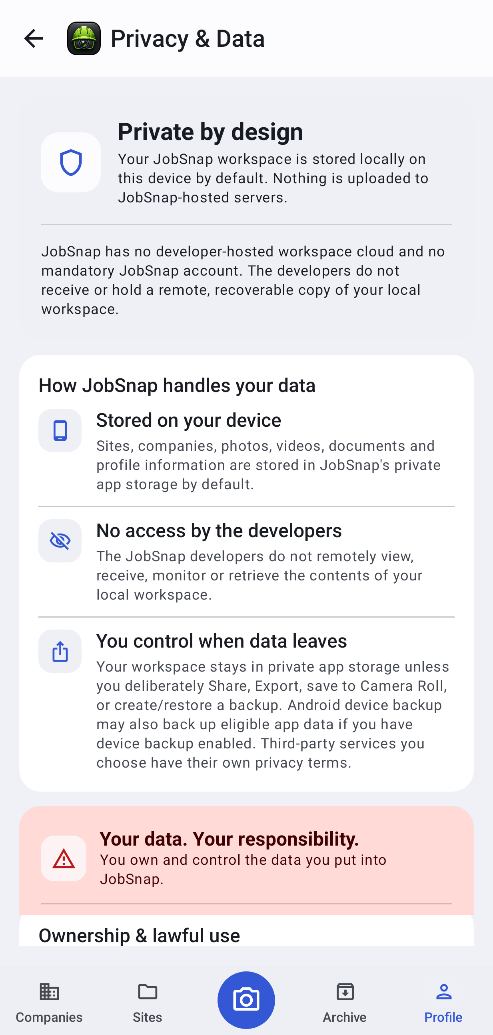
Privacy & dataYou stay in control
Your work stays yours.
JobSnap is local-first. Your customers' details and photos are kept on your phone, not on our servers.
Stored on your phone
Companies, sites, photos and documents live in JobSnap's private storage on your device.
No account, no adverts
No sign-up and no adverts. The JobSnap developers can't see your work.
You decide what leaves
Nothing is shared unless you choose to send a report, export files or make a backup.
Free to start. Pro when you're ready.
Try JobSnap for free. Upgrade once to unlock everything, with no subscription.
Pay once and keep Pro. Your data is never deleted if you stay on Free. Extra items are simply locked until you upgrade.
JobSnap Free
- Companies & sites
- Capture
- Jobs
- Reports
- Video
- Evidence
- Backups
- Security
- Style
- Tidy-up
- Power tools
Download JobSnap today.
JobSnap is live on Google Play for Android phones and tablets. Free to start, no account needed.
Open Google Play
Open the Google Play Store on your Android device, or tap the button below.
Search & install
Search “JobSnap” and tap Install.
Add your first company
Open the app, add a company and site, and start capturing the work.
Good to know. JobSnap needs Android 10 or newer. It works fully offline, so you only need a connection to buy Pro or to share a report.
Common questions.
Is there an iPhone version?
Not at the moment. JobSnap is for Android phones and tablets running Android 10 or newer.
Do I need an internet connection?
No. JobSnap works fully offline, so it's fine in basements, plant rooms and rural sites. You only need a connection to buy Pro or to share a report.
Where are my photos and records stored?
In JobSnap's private storage on your phone. They aren't uploaded anywhere. You can also save copies to your phone's gallery whenever you like (Pro can do this automatically).
What happens if I lose or change my phone?
Make a JobSnap backup. It's a single file containing everything, with optional password encryption. Save it somewhere safe, like Google Drive or a computer, and restore it on your new phone.
Is Pro a subscription?
No. Pro is a one-time purchase through Google Play. Pay once and keep it, and restore it on a new phone with the same Google account.
Can reports show my customer's logo?
Yes. Add a logo to the company and every report for its sites carries that logo, name and matching colours. Your own name and business appear as “Prepared by”.
How do I send a report?
Reports are standard PDF files. Share them straight from JobSnap by email, WhatsApp, Teams or any other app on your phone.
What happens to my data if I uninstall?
Uninstalling removes JobSnap's data from your phone, so make a backup first if you want to keep your work.
Contact
Questions, feedback or support?
Email the JobSnap developers. We read every message and usually reply within a couple of working days.
apps@pzit.co.uk
More apps: Cornish Beach Tracker · Reachly · All apps